Part 2 of the Shomer Build Series
If you missed Part 1, the short version: I’m turning old hotel key cards and cheap NFC stickers into a self-hosted smart home system called Shomer. Tap your phone to a physical object, a vinyl record, a card on the fridge, a sticker on your medicine cabinet, and something happens automatically. A timer starts. A playlist plays. A maintenance log gets updated. Both phones get notified.
That post laid out the idea. This one lays out the full blueprint, every feature, every decision, and exactly where we stand before writing a single line of code.
We Asked Emily First
Before designing anything, I sent my wife Emily a Google Form, a full checklist of every NFC card idea I had, organized by category, so she could pick what she actually wanted rather than what I assumed.
She scored the idea an 8 out of 10. I gave it a 9. Household buy-in confirmed.
Her picks were practical: the front door card, dog feeding sync, HVAC and car maintenance tracking, plant watering, and a bath time playlist. But her two questions at the end of the form turned into the most important design decisions of the whole project.
“Is this going to tie into the Google Home tablet?”
Yes, and more than I originally planned. We’re setting up a Kindle Fire mounted on the wall as a dedicated Shomer display. It’ll show a live scoreboard of household activity, what’s due today, and recent completions, always visible, always up to date. No tapping required. Just glance at the wall.
This is directly inspired by the 4 Disciplines of Execution framework: the easiest way to keep moving toward a goal is having a compelling, always-visible scoreboard. The wall display is that scoreboard.
“Will the NFCs tie to Google Calendar?”
Yes. When you tap the HVAC filter card after changing it, Shomer automatically creates the next reminder in Google Calendar, no manual entry, no forgetting. Same for pet medications, car maintenance, and anything else on a recurring schedule.
The Full Feature List
Here’s everything Shomer will do at launch:
NFC Tag System
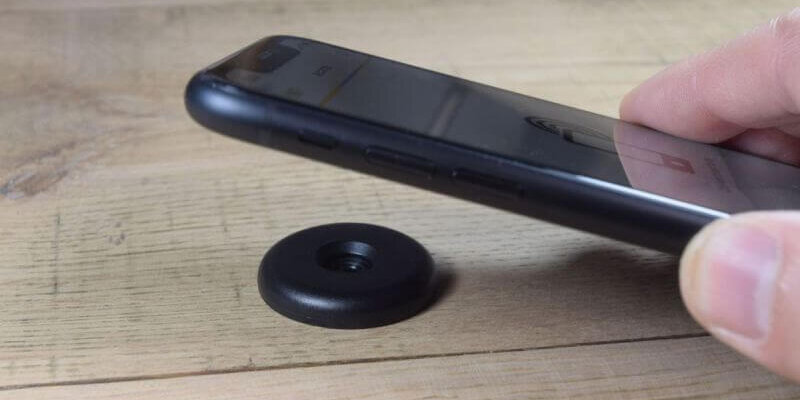
Every physical tag in the house gets a unique, secure webhook URL. When either phone scans it, Shomer logs the event, who scanned it, when, from which device, and fires whatever actions are assigned to that tag.
Tags are fully self-service. You buy a pack of NFC stickers, stick one somewhere, tap your phone to it, and a setup wizard opens in the dashboard. No terminal, no config files, no SSH into the server. You give it a name, pick an icon, assign actions from a menu, and it’s live in under 60 seconds.
Actions a single tag can trigger (mix and match):
- Start a countdown timer with a notification when done
- Send a push notification to Norm, Emily, or both
- Send a text message to a saved contact
- Add a Google Calendar reminder
- Play a Spotify playlist on a specific speaker
- Trigger a Google Home routine
- Log a maintenance or household event
- Open a URL on the scanning phone
- Run a custom automation workflow
One card can do all of the above simultaneously. The laundry card starts a 45-minute timer, logs “laundry started,” notifies Emily if Norm started it, and awards household XP, all from one tap.
Maintenance Tracker
Every appliance, vehicle, and seasonal task gets a card. Tap it when you service it. The system logs the date, calculates when it’s due again based on the interval you set, and sends a reminder before it’s overdue.
HVAC filter. Car oil changes. Tire rotations. Dishwasher filter. Washer drum clean. Water heater flush. Spring yard prep. Fall winterize. All of it tracked, all of it reminded, none of it forgotten.
Plant Manager
This one I’m particularly proud of. When you add a new plant, a six-question wizard walks you through it, plant name, location, sun exposure, soil type, container vs. ground. That information gets sent to an AI model which generates a personalized watering schedule with seasonal adjustments. Our Alabama summers hit different than spring, a tomato plant in July needs water almost daily. The system knows that and adjusts automatically.
Tap the plant’s sticker when you water it. The system handles the rest. If it’s been too long, both phones get a notification with the specific signs of underwatering for that plant.
Pet Manager
Same structure as the plant manager. Each pet gets a profile which includes name, species, photo, care schedule. Cards for feeding, medications, vet visits, grooming. When a pet passes, their history is preserved in the archive rather than deleted. Currently tracking 4 dogs and 2 cats.
The dog feeding card is probably the most immediately practical thing in the whole system. One tap tells both phones that the dogs have been fed and who did it. We have collectively asked “did you feed them?” approximately one thousand times.
Points and Gamification
Every completed task earns household XP. Streaks multiply your points. There are six household levels from New Homeowner all the way to The Ocho Overlord at 15,000 points. There are 12 achievement badges including Best Dog Parents (no missed feedings for 30 days), Content Machine (8 blog posts on time in a row), and Green Thumb (every plant watered on schedule for a full month).
Emily and I each have individual scores visible on the dashboard. Emily is already winning and the system isn’t built yet.
Activity Report Generator
The dashboard includes a report builder that lets you filter by category and date range before generating a clean PDF or CSV export.
The one I’m most excited about for CBT clients: the Home Sale Report preset. One click generates a complete, professionally formatted PDF of every maintenance event ever logged and sorted by category, with dates, notes, and photos. HVAC filter changes. Appliance service. Seasonal tasks. Car maintenance. Hand it to a realtor or a prospective buyer and it immediately communicates that the house has been maintained with documentation to prove it. Most homeowners can’t produce anything like this. Shomer makes it automatic.
Wall Display Mode
A dedicated UI optimized for the Kindle Fire wall hub: large text, high contrast, readable from across the room. Shows the household scoreboard, today’s due items, recent activity, and badge unlocks. Auto-refreshes every 60 seconds. Always visible. Always current.
The Tech Stack
For the technically curious, here’s what’s actually powering Shomer:
- Tank: our home server running Ubuntu Linux with Docker
- Wire (n8n): self-hosted automation platform, handles all the “when this happens, do that” logic
- Qol (Ntfy): self-hosted push notification server, cross-platform, no accounts required
- Claude API: powers the plant care wizard and future AI features
- Google Photos: shared albums for maintenance photos; nothing stored permanently on Tank
- React / Node.js / SQLite: frontend, backend, and database
- Apache + Let’s Encrypt: reverse proxy and SSL, accessible at
(I'm not giving you this address..com)
Everything runs in Docker on hardware we own. No monthly subscriptions to smart home platforms. No cloud dependency. No one else’s pricing model change can break it.
Where We Stand Right Now
The full design is locked. All the config files, Docker setup, and Apache routing are written and ready to deploy. The next step is pointing the DNS, running the setup scripts on Tank, and confirming the subdomain is live, then we start writing actual application code.
The build will be documented here as it happens, part by part. By the end of this series you’ll have watched a complete self-hosted home automation system go from a hotel key card to a fully functional dashboard, built on real infrastructure with real tools.
What This Means for You as a CBT Client
Every piece of this system is something I can build for you, customized to your home, your appliances, your routines.
The maintenance tracking and Home Sale Report alone are worth it for any homeowner planning to sell in the next few years. The pet care sync is worth it for any household where two people are trying to coordinate without texting each other constantly. The plant manager is worth it for anyone who has killed a plant because they forgot to water it.
And the NFC tags themselves are $10 for 25 on Amazon. The expensive part isn’t the hardware. It’s knowing how to wire it all together. That’s what CookieBytes is here for.
If you want to be notified when Part 3 drops the actual code build begins keep checking in!
And if you want to skip the series and just have one built, reach out.